Why nagad login Ready to download?
It's hard to imagine daily life without a smartphone. Whether you're commuting or relaxing at home, everything gets done from the device in your hand. The nagad login app was built with exactly that in mind — bringing the full desktop experience to mobile, with an interface designed to be just as easy to use on a small screen.
The app is available on both Android and iOS. Installation takes just a few minutes, and once it's set up, everything from logging in to withdrawals can be done right inside the app — no need to open a browser or remember a bookmark.
One of the biggest advantages of the nagad login app is speed. It loads quickly even on mobile networks, and the connection stays stable during live games — meaning far fewer unexpected disconnections mid-game.
- Fast Loading: The app runs smoothly even on low data.
- Push Notifications: Bonus and offer updates delivered straight to your phone.
- Fingerprint Login: Secure and hassle-free access.
- Offline Mode: Some features remain usable even without an internet connection.

Your Choose Your Device
Android or iOS — nagad login is available on both platforms.
Android App
Install easily on any device running Android 6.0 or above. The APK file can be downloaded and installed directly.
- Android 6.0+
- Only 48 MB
- ARM & x86 Support
- Free to Install
Keep "Unknown Sources" enabled for a safe installation.
IOS App
Optimized for iPhone and iPad users. Runs smoothly on iOS 13.0 and above.
- iOS 13.0+
- Only 52 MB
- iPhone & iPad
- Face ID Support
Install directly from the App Store
How to Ready to install the app?
Installing the nagad login app is straightforward. Just follow the steps below and you'll have it set up on your phone in just a few minutes.
Create an Account
Start by registering on nagad login. If you already have an account, just log in directly.
Click the Download Button
Android or iOS — click the right download button for your device.
Save the file
On Android, an APK file will be downloaded. On iOS, you will be taken to the App Store page.
Install
On Android, enable Unknown Sources in your settings and install the APK. On iOS, simply tap Install.
Log In
Open the app and sign in with your nagad login account credentials.
Start Playing
All set! You can now jump straight into gaming or betting.
App's Key Features
The features in the nagad login app that will completely transform your mobile gaming experience.
Quick Login System
Log in instantly with your fingerprint or Face ID — no need to remember your password.
Live Sports Betting
See real-time odds on ongoing matches and place bets at any moment. Live updates delivered straight to the app.
Easy Deposits & Withdrawals
Deposit and withdraw with ease via mobile banking or bank transfer — the entire process is handled right within the app.
Full Game Library
Slots, Live Casino, table games — the full desktop game library is available on mobile too.
Push Notifications
Get instant phone notifications whenever a new bonus, promotion, or VIP offer becomes available.
SSL Encryption
All your data and transactions are protected with the highest level of security. The nagad login app leaves no room for data leaks.
Full interface in Bengali
All menus, instructions, and support are available in Bengali. No confusion over language.
Live Scores & Stats
View live scores, stats, and match events for the game you've bet on — all directly in the app.
24/7 Live Support
Reach live chat support directly from within the app. Get fast help whenever you need it.
Mobile App vs. Mobile Browser
Many users wonder — if the site works fine in a browser, why bother installing a separate app? It's a fair question, and the answer is clear.
The nagad login app offers features that simply aren't possible in a browser — push notifications, fingerprint login, faster loading, and a stable connection that makes the whole experience genuinely different.
Fast app response time makes a real difference — especially during live betting, where odds shift every second. Waiting for a browser page to reload can cost you the opportunity.

App's Technical Specifications
Minimum device requirements and other technical details for the nagad login app.
| Feature | Android | IOS |
|---|---|---|
| Minimum OS Version | Android 6.0 (Marshmallow) | IOS 13.0 |
| App Size | Approximately 48 MB | Approximately 52 MB |
| RAM Required | Minimum 2 GB | Minimum 2 GB |
| Internet | 3G/4G/5G/Wi-Fi | 3G/4G/5G/Wi-Fi |
| Biometric Login | Fingerprint | Face ID / Touch ID |
| Push Notifications | Supported | Supported |
| Dark Mode | Supported | Supported |
| Language | Bangla, English | Bangla, English |
| How to Update | Automatic / Manual | App Store Update |
| Encryption | SSL/TLS 256-bit | SSL/TLS 256-bit |

In-App What games can I play?
The nagad login app gives you the full gaming experience you'd expect on desktop. Betting, Live Casino, slots — every section works completely within the app.
In the Sports Betting section, you can place both live and pre-match bets on cricket, football, tennis, basketball, and major leagues and tournaments worldwide. Odds update in real time, so you can read the moment and act fast.
In the Live Casino section, you can play blackjack, baccarat, roulette, and more with real dealers. Video streaming runs smoothly on mobile, making the live game experience genuinely enjoyable.
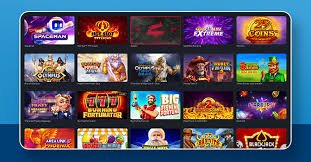
The app offers a huge collection of slots games — from classic slots to modern video slots, all kinds are available. Each slot's graphics are optimized for mobile screens.
The app is fully functional in the Virtual Sports section as well. When no live matches are on, you can join virtual games and keep earning points.
Overall, the nagad login app is designed to be intuitive for everyone — from first-time users to experienced players. Navigation is straightforward, a search feature helps you find games quickly, and you can save your favorites for easy access.
General FAQ
Answers to the most frequently asked questions about the nagad login app.
Download the nagad login app and play from anywhere
Android or iOS — install the app on your preferred device and enjoy thousands of games and betting options.